SDS register app
SDS register app: your chemical register on your phone.
Let's be straight first: SupplySafe isn't in the App Store or Google Play. It's a web app that runs in your phone's browser, so there's nothing to install. Add it to your home screen if you like and it opens like an app. Your team can read every current SDS by scanning a QR poster, no login and no app at all.
What you can do from your phone
-
Set up your register
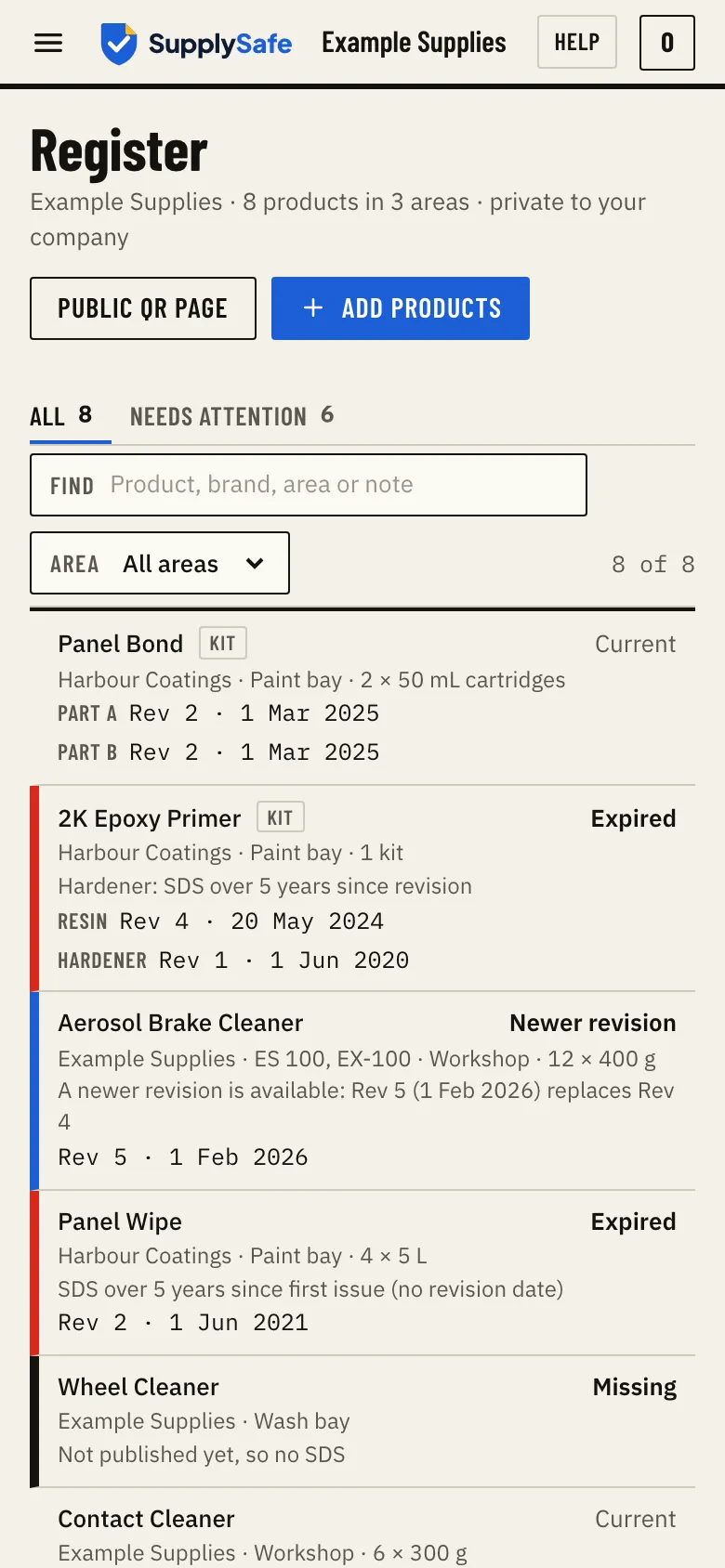
Sign up, search by brand or product and tick what you hold. A typical site takes a few minutes on a phone.
-
Check a sheet on the spot
Find a product by name, brand or area and open its current SDS, wherever you're standing.
-
Read saved SDS with no signal
Signed-in staff can keep the register's SDS on their phone. It shows when the saved copy last synced.
-
See what changed
When a manufacturer revises a sheet, your register switches to the new SDS automatically and marks the line as updated, so you can tell the team what changed.
Two ways in, and only one needs a sign-in
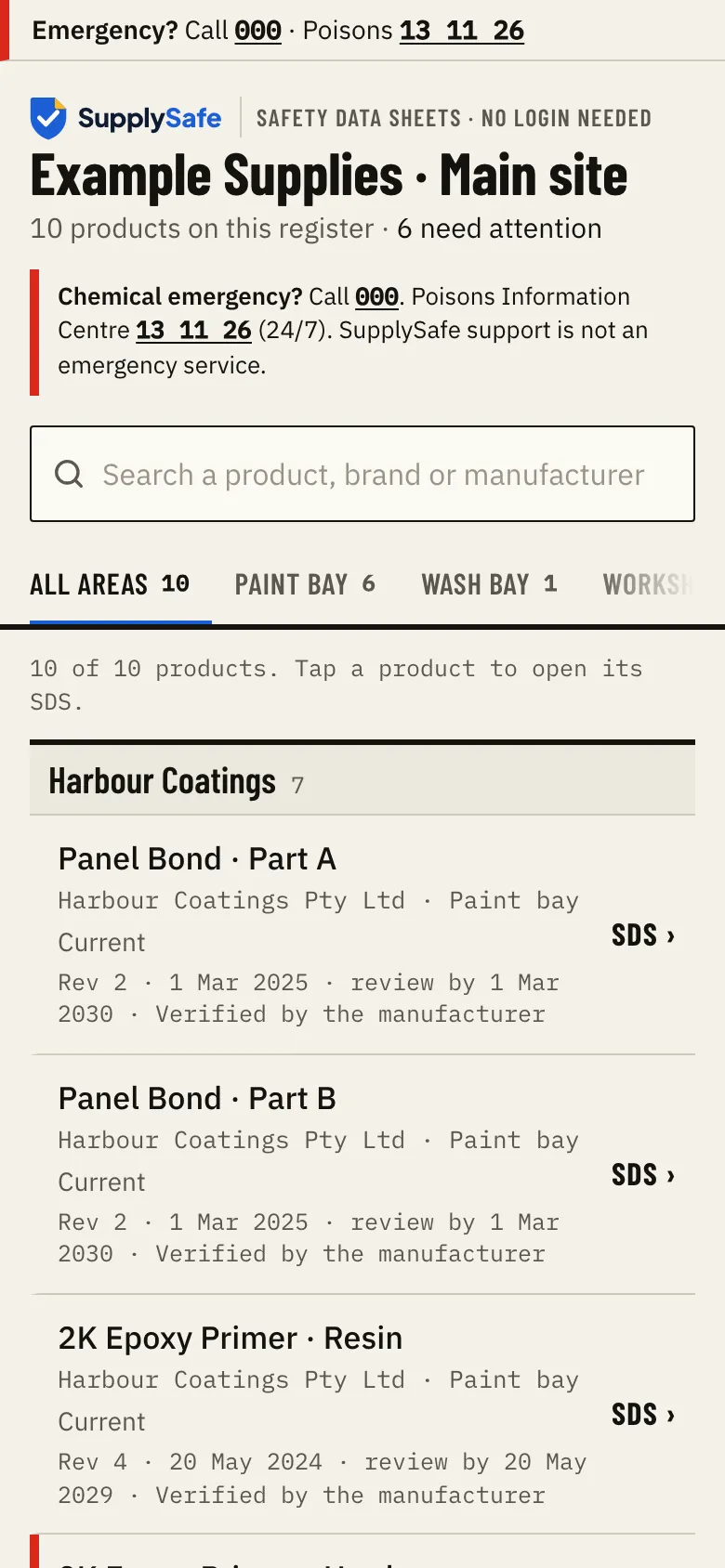
For everyone on site: the QR poster. Print one A4 poster and stick it where the chemicals live. Staff, a visiting contractor or emergency services scan it and see the site's products, where they're kept and the current SDS. No login, no app.
For the people who run the register: sign in. Add a product, set up areas and print the poster. On a phone or a computer, it's the same register.
The QR code points to a permanent SupplySafe link, so when an SDS is replaced, the poster keeps working.
Is a register on a phone allowed?
Safe Work Australia's guidance says the register and SDS can be kept electronically, as long as workers and emergency services can get to them readily. The model Code of Practice also says to provide a backup means, such as hard copies, in case power, internet or phones fail. So we recommend a printed backup folder alongside your phone register. SupplySafe makes it in one click and shows "Reprint needed" when an SDS changes.
SupplySafe does not decide which of your products are hazardous, and it is not a substitute for a risk assessment or professional safety advice. Victoria runs its own OHS laws rather than the model WHS laws, so see our Victorian register guide, and check with your state or territory regulator for any local requirements.
Sources: Safe Work Australia, Hazardous chemical records and signs for workplaces; model WHS laws; WorkSafe Victoria, Safety data sheets.
What it costs
A$39 per site per month, or A$390 per site per year (two months free). No per-user fee, so the whole crew can use it. 30-day free trial, no card needed, cancel any time.
Founding price: A$29 a month per site for your first 12 paid months. First 100 workplaces, start your plan by 31 March 2027. Paying yearly, it is A$290 a year per site for your first year.
Questions about the app
- Is SupplySafe in the App Store or Google Play?
- No. SupplySafe is a web app: it runs in your phone's browser, so there's nothing to download from a store. If you'd like it one tap away, you can add it to your home screen and it opens like an app.
- How do I put it on my home screen?
- Sign in on your phone. On an iPhone or iPad in Safari, tap Share, then Add to Home Screen. On Android, open the browser menu, then Install app or Add to Home screen. Some browsers offer their own Install button.
- Do my workers need to install anything to read an SDS?
- No. Anyone can scan the QR poster with a phone and read every current SDS for that site, with no login and no app. Only the people who add or change products need an account, and there's no per-user fee.
- Does it work with no signal?
- For signed-in staff, yes. Open your register once while you have signal and SupplySafe saves its SDS on that phone. With no signal you can search the saved list and open the saved SDS, and it shows when it last synced. A newer revision shows the next time you're online. The QR poster page needs mobile data or wifi, so keep a printed backup folder too.
- What happens to the saved copy if someone signs out?
- It's deleted from the phone when they sign out. The saved copy belongs to that person's sign-in, so it isn't left behind on a shared or returned device.
- What does SupplySafe cost?
- A$39 per site per month, or A$390 per site per year (two months free). No per-user fee: everyone on site can read the register. A 30-day free trial with no card needed, and you can cancel any time. Founding price: A$29 a month per site for your first 12 paid months. First 100 workplaces, start your plan by 31 March 2027. Paying yearly, it is A$290 a year per site for your first year. Manufacturers, importers and suppliers use SupplySafe free. See pricing.
- Do we still need printed SDS?
- Safe Work Australia's guidance says the register and SDS can be kept electronically, as long as workers and emergency services can get to them readily. It also suggests a backup, such as hard copies, in case power, internet or phones fail. So we recommend a printed backup folder alongside your SupplySafe register. SupplySafe makes it in one click and shows "Reprint needed" when an SDS changes. The final call is the business's.
- We already keep a register. How do we move across?
- Search the catalogue and tick what you hold; you can add every result of a search at once. There's no self-serve spreadsheet import yet, so send your current register to hello@supplysafe.com.au and we'll help load it. A product isn't listed? Send us the PDF from your folder (hello@supplysafe.com.au) and we load it and keep it current.
- Who keeps the SDS up to date?
- The company that issues it. Manufacturers and importers publish their current SDS on SupplySafe, free, and each one is checked against the PDF before it goes live. When they publish a revision, every register that holds the product switches to it automatically and marks the line as updated, so you can tell your team what changed. An SDS we load for you from your folder, we keep current too. SupplySafe never writes or edits an SDS.
Next steps
Put your register on your phone this week.
Sign up on your phone, tick what you hold, print the poster.
Questions? Call 1800 759 638, business hours, or book a 15-minute walkthrough.