How it works

One loop. Both sides stop chasing paper.

SupplySafe links the company that issues a Safety Data Sheet with the workplace that has to keep it: the manufacturer publishes once, the workshop ticks what it holds, and one QR poster opens the current SDS. Here's the whole loop, start to finish.

01

A manufacturer publishes

A manufacturer, importer or brand owner sends us their SDS: a link to their library or a batch of PDFs. Each document is read and checked against the PDF:

  • product name and product code
  • revision or version number, exactly as printed
  • issue date and revision date, kept separately
  • the responsible company, its Australian contact and emergency number

Anything that can't be read with confidence is flagged and confirmed by a person before it is published. Nothing is guessed and the PDF is never edited. Published SDS are marked Checked by SupplySafe; the manufacturer can mark them as verified from its own account.
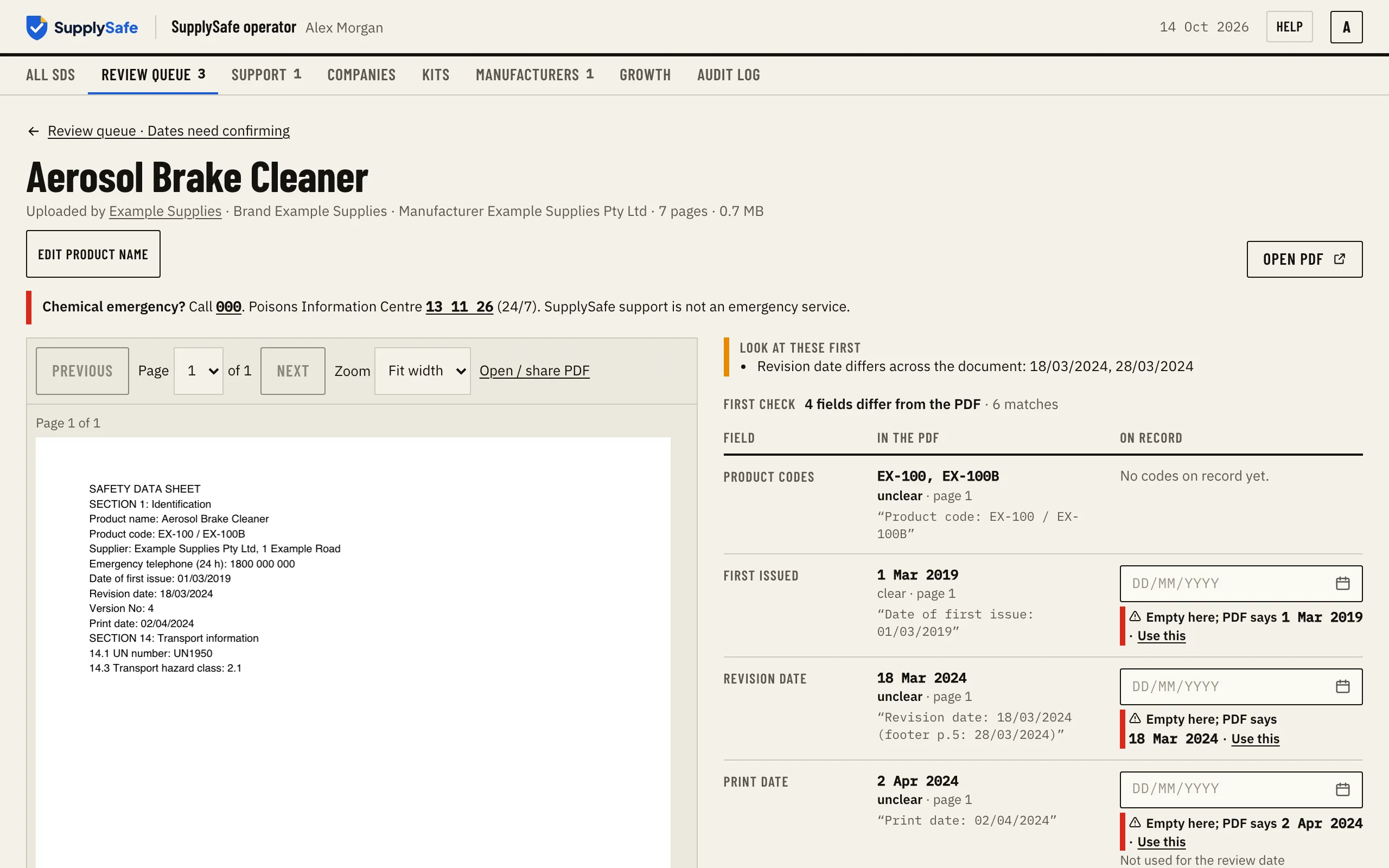
SupplySafe's review screen: the SDS details read from the PDF are checked against the document before it is published.
Screens from SupplySafe, shown with sample data: SupplySafe's review screen, where the details read from the PDF are checked against the document before publishing.

02

The review clock starts from the revision date

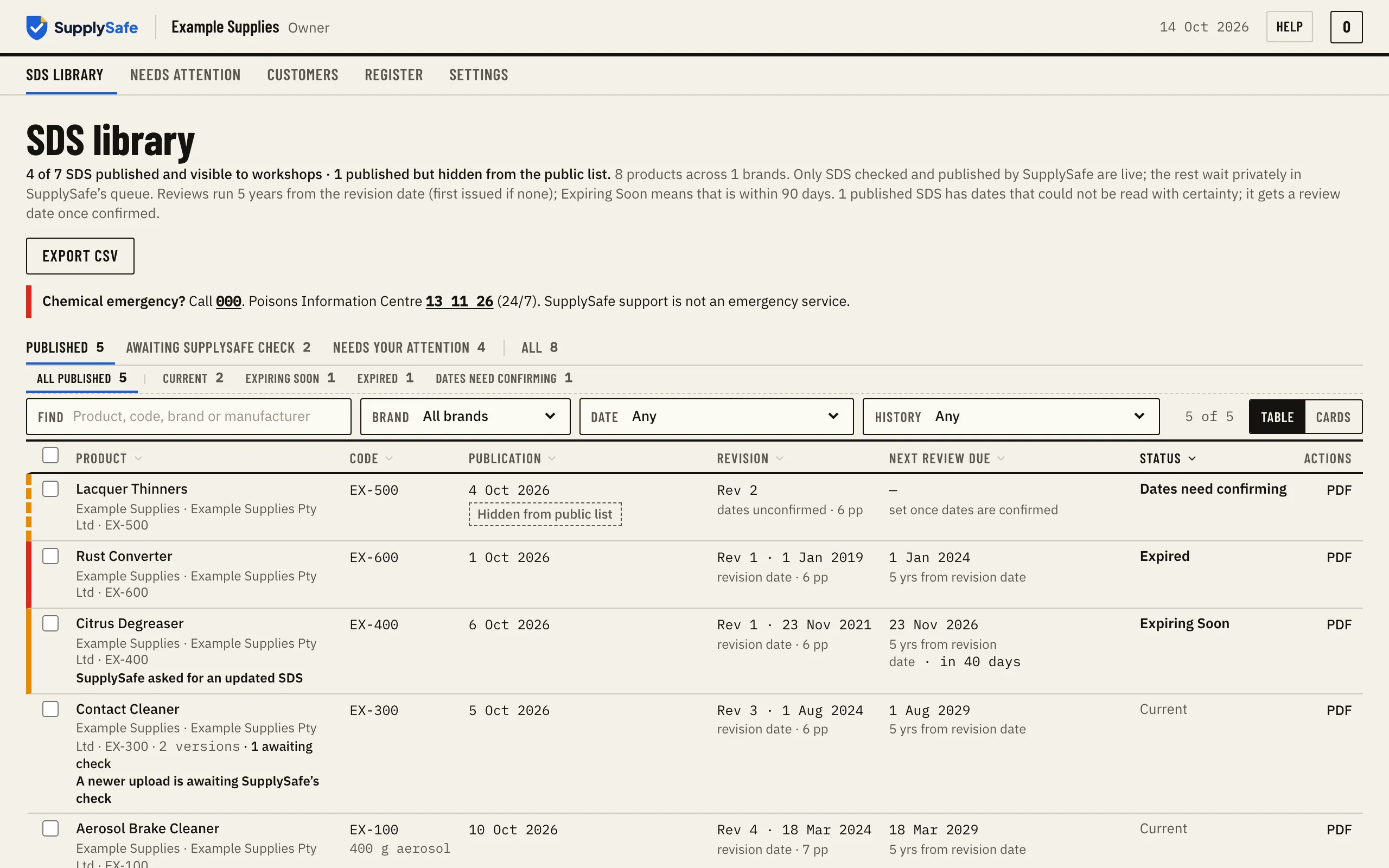
Manufacturers review an SDS at least every five years. SupplySafe counts that from the revision date printed on the document, falling back to the issue date only when there is no revision date. Every screen that shows a review date also says which date it is based on, and the revision number. We call it "review due", not "expiry", because that is what it is.

A manufacturer's SDS library in SupplySafe: each published SDS with its revision, dates and status, for a sample company.
Screens from SupplySafe, shown with sample data: the review date and what it is based on, for every SDS.

03

A workshop builds its register

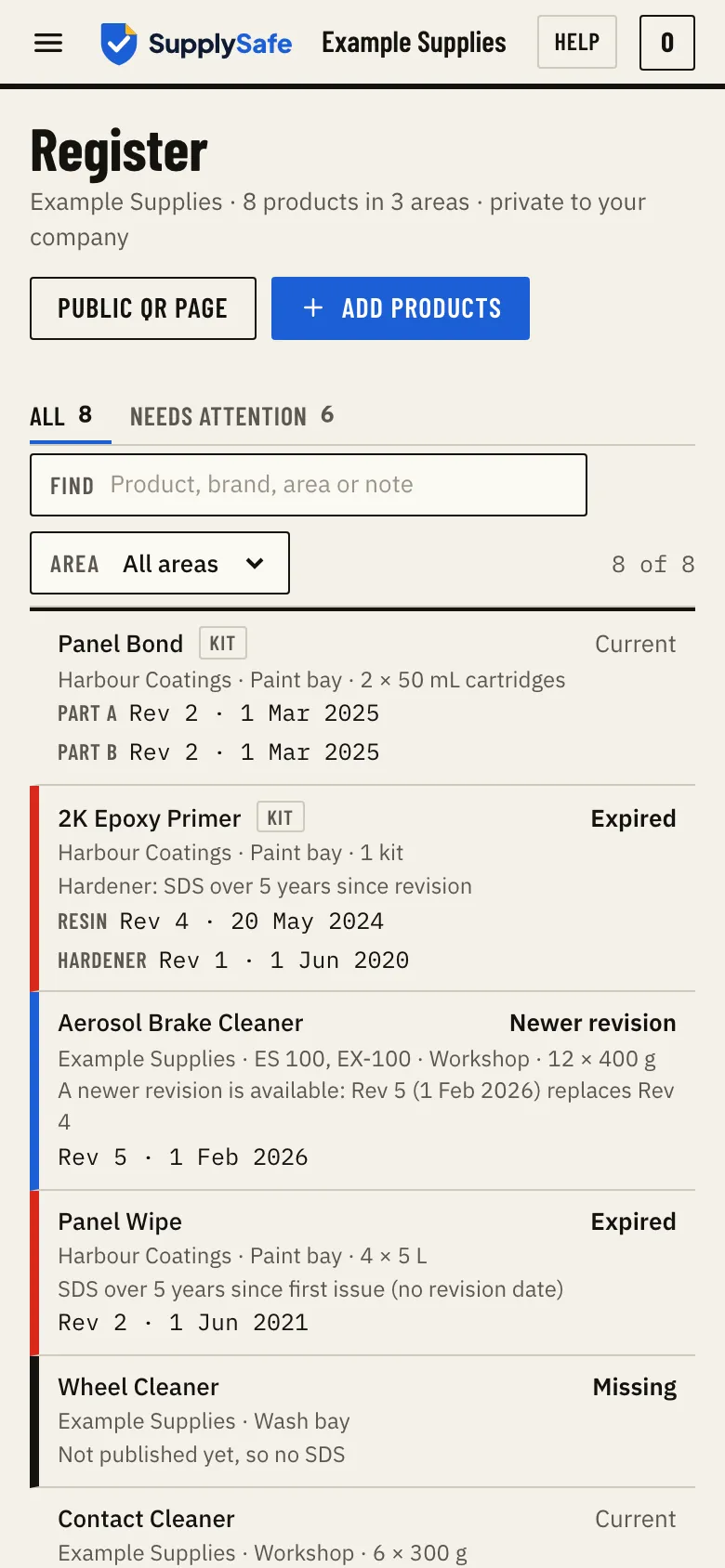
The workshop creates an account, names its site and searches the catalogue by brand or product. Tick what's on site, and optionally where it's kept. Products appear grouped by brand, the way the shelf looks. Two-part kits show as one line with each part's SDS underneath.

The SupplySafe register on a phone: each product with its brand, area, revision and SDS status, for a sample workshop site.
Screens from SupplySafe, shown with sample data: a workshop register on a phone.

04

The poster goes on the wall

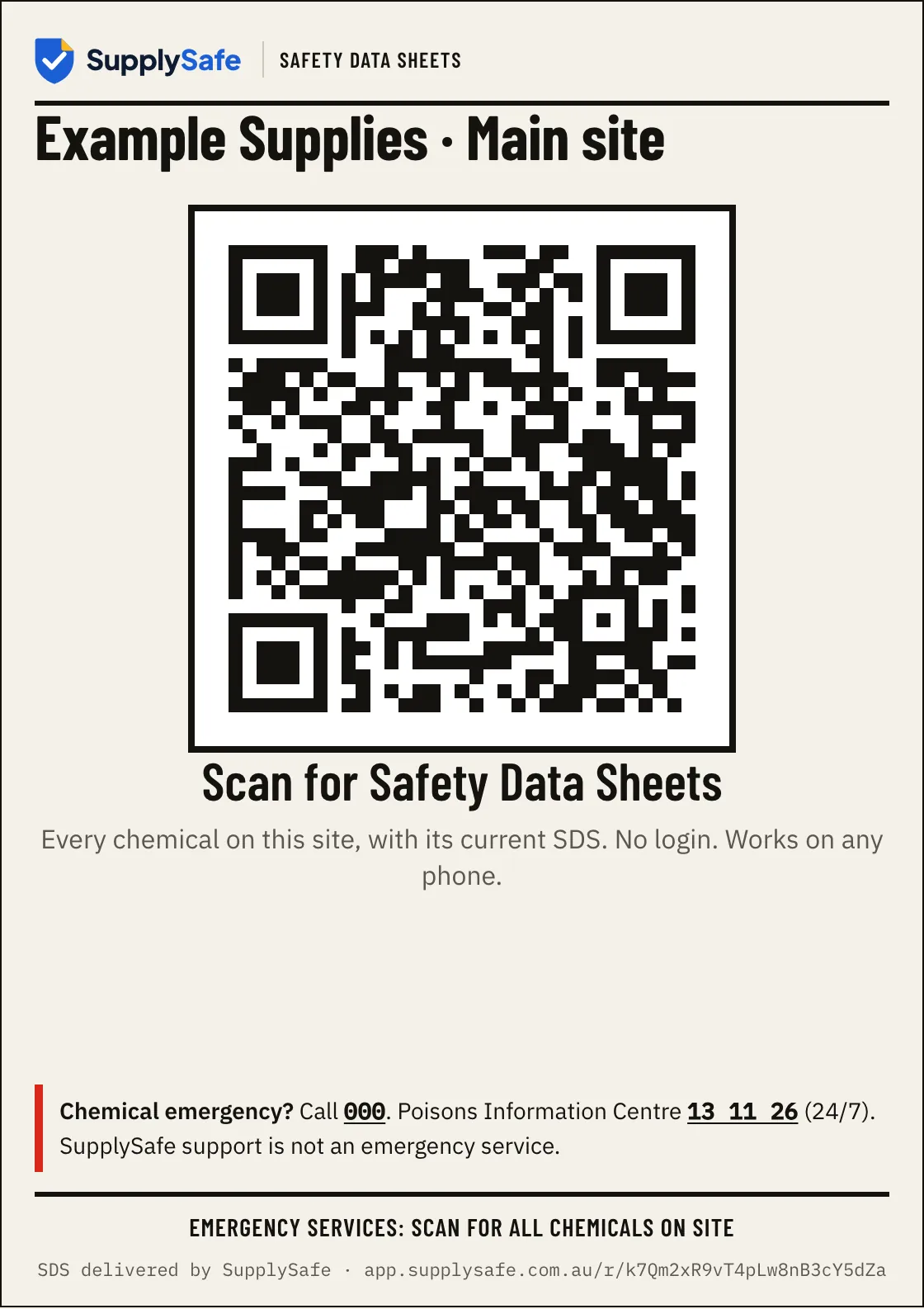
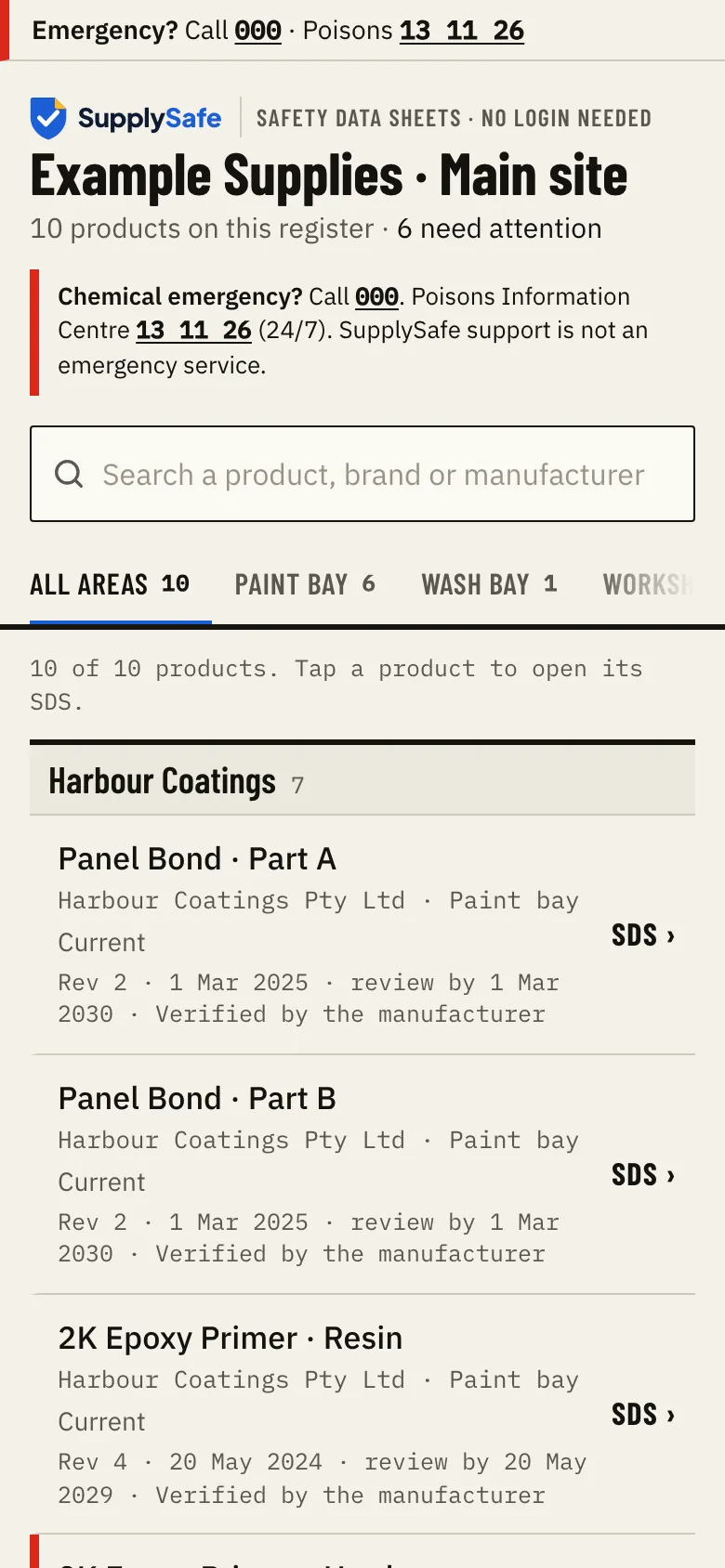
One A4 poster per site, printed from the app. Staff and emergency services scan the QR code and see the site's register: every product, its brand, where it's kept, and a tap to the current SDS. No login, no app.

The QR code points to a permanent SupplySafe link, not to the PDF. When an SDS is replaced, the poster keeps working. Print it once and forget about it.

The printable A4 QR poster for a sample workshop site: scan for Safety Data Sheets, with the emergency services line.
What a phone shows after scanning the QR poster: the site's products and their current SDS, with the emergency numbers, no login.
Screens from SupplySafe, shown with sample data: the A4 poster, and what a phone shows after scanning it.

05

A revision reaches every register

When the manufacturer revises an SDS, the new revision is published against the existing product. Every register that holds the product shows "A newer revision is available" until someone marks it reviewed. The previous revision stays in the history. If the match is ambiguous, nothing is replaced until a person confirms it.

06

Everything is on the record

Every publish, verification, correction, role change and register change is written to an append-only audit trail. It can't be edited or deleted by anyone, including us. When the auditor asks what was current on a given date, the answer's right there.

What doesn't SupplySafe do?

Common questions

Is a QR poster and online register acceptable to the regulator?
Safe Work Australia says the register must include the current SDS for each chemical, be easy to use, and be available to workers and emergency services at any time, and that an SDS can be kept electronically with a paper copy provided on request. SupplySafe is designed around those requirements. Check your state or territory regulator for anything local.
What if the manufacturer isn't on SupplySafe yet?
Tell us through Help in the app. We contact the manufacturer for their current SDS and publish it once it's checked.
Can I print the register?
Yes. Each site has a printable hazardous chemicals register (A4, and CSV), dated, with each product's SDS details and hazard information as stated in the SDS.
How long does set-up take?
Manufacturers: about 15 minutes of your time. Workshops: a few minutes on a phone for a typical site.

Source: Safe Work Australia, Safety data sheets and Hazardous chemical records and signs for workplaces.

Get sorted. Start with one site, or one SDS library.

Workshops: set up a register on your phone in a few minutes. Manufacturers: send us your SDS once, free.